Most people who ask ChatGPT to help with a presentation make the same mistake. They type something like “create a PowerPoint about our Q3 marketing results” and then wonder why the output feels generic, thin, and nothing like what they’d actually present to a room of executives or a thesis committee.
The problem isn’t ChatGPT. It’s the prompt.
A presentation is not one piece of writing — it’s three or four different jobs stacked on top of each other: structuring an argument, writing content that works out loud, designing visual logic, and anticipating questions. Ask ChatGPT to do all of that in one vague sentence, and it defaults to the safest, blandest interpretation it can find. Ask it the way you’d brief a sharp colleague, and the difference is night and day.
This article is a working set of ChatGPT prompts for PowerPoint presentations, organized by what you’re actually trying to build: an outline, full slide content, speaker notes, a pitch deck, or a specific type of presentation like an academic defense or a training session. Copy them, adjust the bracketed details, and use them as a starting point rather than a finished product. That last part matters more than it sounds — I’ll get to why.
Why Most ChatGPT Presentation Prompts Fall Short
Here’s what I’ve noticed after building a lot of these prompts and watching how people actually use them: the failure point is almost never the AI model. It’s that the prompt asks for a finished slide deck when what it should ask for is a thinking partner for slide logic.
PowerPoint isn’t a place to dump paragraphs. It’s a visual medium. A slide that works needs a single clear idea, a handful of supporting points, and ideally some sense of what visual (chart, image, diagram) would carry the point better than text. ChatGPT can’t design your slides for you inside PowerPoint itself, but it’s genuinely good at the upstream thinking: What’s the argument? What order should it go in? What’s the one sentence each slide needs to prove?
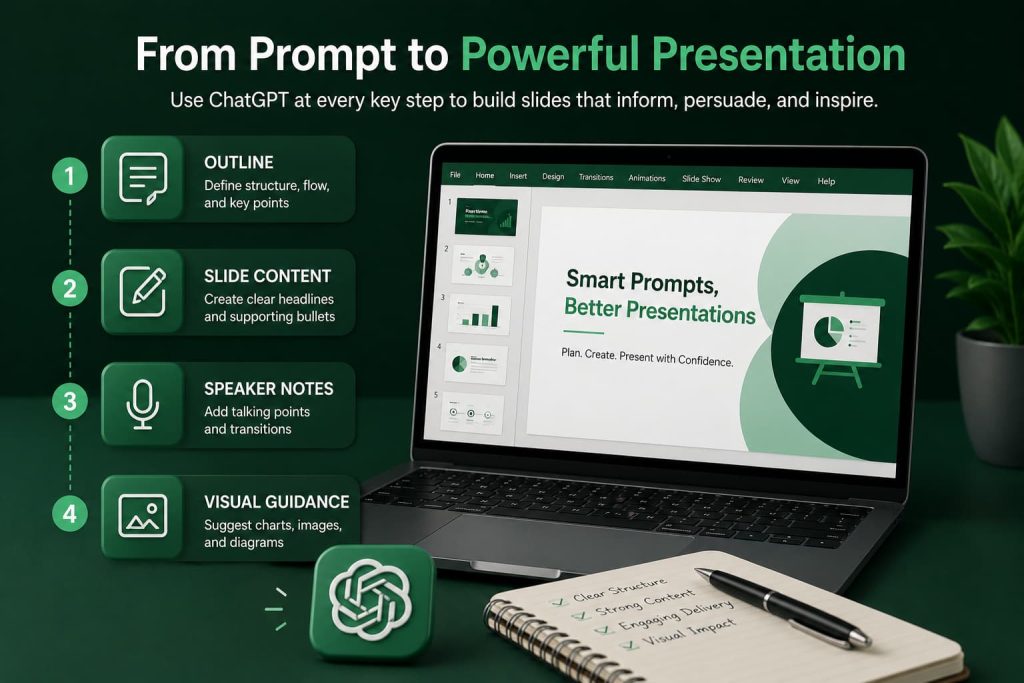
Once you separate those jobs — outline, then content, then notes, then design guidance — the prompts get sharper and the output gets dramatically more usable.
The Core ChatGPT Prompt for Presentation Outline
Before you write a single slide, you need structure. This is the prompt I’d start with for almost any presentation, business or academic:
Act as a presentation strategist. I need to give a [duration]-minute presentation to [audience] about [topic]. My goal is to [specific outcome — persuade, inform, report, train]. Create a slide-by-slide outline (aim for [X] slides) where each slide has: a working title, the single idea it needs to communicate, and 2-3 supporting points. Order the slides so the argument builds logically, and flag any slide where a visual (chart, diagram, image) would communicate the point better than text.
Notice what’s doing the work here: duration, audience, and outcome. Those three details change everything about what a good outline looks like. A 10-minute investor pitch and a 45-minute training session are not the same shape of document, even on the same topic, and ChatGPT can only account for that if you tell it.
One thing that surprised me early on: asking for a specific slide count matters more than people expect. Leave it open and ChatGPT tends to drift toward 15-20 slides regardless of context, because that’s a statistically “safe” presentation length in its training data. Naming a number forces real prioritization.
ChatGPT Prompt to Create a PowerPoint Presentation (Full Slide Content)
Once you have an outline you’re happy with — and it’s worth actually reading it critically before moving on — the next step is turning each outline point into real slide content.
Using the outline above, write full content for each slide. For each slide, give me: a headline (under 8 words), 3-4 bullet points written in plain, confident language (not full sentences), and a one-line note on the ideal visual treatment. Avoid restating the headline in the bullets. Keep the tone [formal / conversational / persuasive — pick one] and appropriate for [audience].
The instruction to avoid restating the headline in the bullets solves a specific, common problem: ChatGPT’s default output often repeats itself between the slide title and the content, which is exactly the kind of redundancy that makes a real audience tune out.
If you’re working from a document — a report, a research paper, existing notes — paste that content into the conversation first and ask ChatGPT to build the slides from it, rather than asking it to invent facts from scratch. This is worth repeating because it’s where a lot of the “AI wrote something wrong” complaints actually come from: people ask for content on unfamiliar or technical topics and get confident-sounding filler instead of an honest “I don’t have that data.” Ground it in your own material whenever you can.
ChatGPT Prompts for Business Presentations
Business presentations have their own gravity. They need to move fast, respect people’s time, and get to the “so what” quickly. A prompt that works well here:
I’m presenting [topic] to [executives / clients / a cross-functional team]. Structure the presentation around a business problem, not a topic. Open with the problem or opportunity in one slide, follow with the data or reasoning that supports it, and close with a clear recommendation and next steps. Keep the language decision-oriented — every slide should help the audience decide something or understand a decision that’s already been made.
What I like about framing it as “a business problem, not a topic” is that it forces a narrative spine. A lot of internal decks fail because they’re organized like a report (background, context, details, more details) instead of like an argument. Executives generally want the conclusion first and the evidence second — the opposite of how most people naturally draft. If the presentation is building the strategy rather than reporting on one already in motion, a dedicated marketing strategy prompt is worth running before you touch the outline.
ChatGPT Prompt for Pitch Deck Creation
Pitch decks are their own category because investors read dozens of them and have a specific mental checklist, whether they say so out loud or not.
Act as a startup advisor who has reviewed hundreds of pitch decks. Build a 10-12 slide pitch deck outline for [company/product], covering: the problem, the solution, market size, business model, traction, competitive landscape, go-to-market plan, team, financial projections, and the ask. For each slide, write one sharp, specific sentence that could serve as the core claim — not vague language like “huge market opportunity,” but a specific number or fact wherever I can supply one.
That last instruction matters. Startup founders often ask ChatGPT to fill in claims like “large addressable market” — language that sounds fine and says nothing. Push for specificity, and be ready to supply real numbers yourself. ChatGPT can help you phrase your market size or traction data persuasively; it can’t invent numbers that are true.
ChatGPT Prompts for Academic Presentations
Academic presentations — thesis defenses, conference talks, seminar presentations — have a different set of unwritten rules. The audience is evaluating rigor as much as clarity.
I’m presenting research on [topic] to [committee / conference audience / classroom] for [duration] minutes. Structure the presentation as: research question, why it matters, methodology, key findings, limitations, and implications. Write each slide’s content in academic but accessible language — precise, not casual, but not dense with unnecessary jargon. Include a slide that anticipates the two or three toughest questions this audience is likely to ask.
That last sentence is the one most people skip, and it’s arguably the most valuable part of the prompt. A presentation that anticipates pushback reads as more credible than one that only makes the positive case — this is true in academic settings and business ones alike.
ChatGPT Prompt for Slide Content Generation From Existing Material
Sometimes you’re not starting from scratch — you have a report, an article, or a set of notes that needs to become a presentation. This prompt handles that case specifically:
Here is [a report / an article / my notes]: [paste content]. Convert this into a presentation outline of [X] slides. Identify the 5-6 most important ideas, cut anything that’s supporting detail rather than a core point, and organize what remains into a logical slide sequence. Don’t summarize the whole document — extract only what a live audience actually needs to hear.
The instruction to “cut anything that’s supporting detail” is doing real work here. Left alone, ChatGPT tends to summarize documents fairly evenly across all sections, which produces a slide deck that mirrors the document’s structure rather than a presentation built for a room. A good slide deck compresses far more aggressively than a good summary does.
Writing Speaker Notes That Don’t Read Like a Script
Slide content and speaker notes are different writing problems, and treating them the same is a common mistake.
Write speaker notes for each of these slides. The notes should sound like natural spoken language, not a script to read word-for-word — short phrases and cues, not full paragraphs. Include a one-line transition sentence at the end of each note that bridges naturally to the next slide.
In practice, the transition cue is the detail that makes speaker notes genuinely usable rather than something you print and ignore. Presentations feel disjointed most often at the seams between slides, not within them, and a small bridging line fixes that more reliably than almost anything else.
Common Mistakes People Make With These Prompts
A few patterns show up repeatedly, and they’re worth naming directly.
Asking for the whole deck in one prompt. It feels efficient, but it produces shallow content because ChatGPT is optimizing structure, language, and detail all at once. Split it into outline, then content, then notes. Each pass gets better because it has less to juggle.
Not specifying audience or duration. These two details shape almost every other decision — tone, depth, slide count, pacing. Skipping them is the single biggest reason people get generic output.
Treating the output as final. ChatGPT is very good at structure and language; it’s not in the room with your actual data, your company’s specific tone, or your audience’s specific context. Read every slide before it goes anywhere near a client or a committee. This isn’t a disclaimer — it’s the actual difference between a deck that works and one that quietly undermines you in the meeting.
Skipping the visual thinking. A slide full of well-written bullet points is still a wall of text if nothing on it is visual. Ask ChatGPT explicitly, slide by slide, whether a chart, image, or diagram would carry the point better — and then actually build that visual in PowerPoint, Google Slides, or a dedicated AI presentation tool.
A Practical Workflow, Not Just a Prompt List
If you put all of this together, the actual workflow looks like this: outline first, with duration and audience specified. Then full slide content, built from your own material wherever possible. Then speaker notes, written for the ear rather than the eye. Then a final pass where you personally check every factual claim and tighten the language ChatGPT tends to leave a little too smooth and a little too safe.
None of this replaces your judgment about the room you’re walking into. What it does is remove the blank-page problem and the structural guesswork, so the time you do spend is spent on the parts only you can actually get right — the specific numbers, the specific stakes, the specific way your audience thinks.
The best presentations built with ChatGPT don’t look AI-generated at all. They look like someone who knew exactly what they wanted to say, and used a fast, capable collaborator to get there faster.